

Mastering SQL & PySpark Interview Questions: How to Find Users’ Most Visited Floor, Total Visits & Unique Resources
Introduction
In data engineering, understanding user interaction patterns across different locations or resources is crucial for business insights, optimizing experiences, and resource allocation. This problem demonstrates how to aggregate user visit data, identify the most frequented floor per user, calculate total visits, and list unique resources used, using powerful SQL and PySpark techniques.
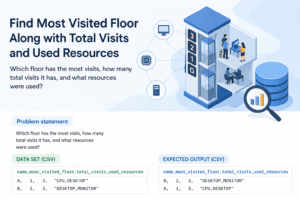
Problem Statement
For each user in the dataset, determine the following:
- The most visited floor number.
- The total number of visits made.
- The list of unique resources used by the user.
This helps to summarize user activity and resources interaction by aggregating across various visits.
—
Dataset (SQL – Notebook Friendly)
-- Create table
CREATE TABLE user_visits (
    name STRING,
    location STRING,
    email STRING,
    floor INT,
    resource STRING
);

-- Insert sample data
INSERT INTO user_visits VALUES
('John','New York','john@example.com',3,'Laptop'),
('John','New York','john.doe@example.com',2,'Monitor'),
('John','New York','johnd@example.com',3,'Laptop'),
('Emily','San Francisco','emily.sf@example.com',1,'Desktop'),
('Emily','San Francisco','emily.e@example.com',1,'Laptop'),
('Emily','San Francisco','emily.sf2@example.com',2,'Tablet'),
('Michael','Chicago','michael.c@example.com',4,'Projector'),
('Michael','Chicago','mike@example.com',4,'Projector'),
('Michael','Chicago','michael.c@example.com',3,'Desktop');
Sample Data (Tabular View)
| name | location | floor | resource | |
|---|---|---|---|---|
| John | New York | john@example.com | 3 | Laptop |
| John | New York | john.doe@example.com | 2 | Monitor |
| John | New York | johnd@example.com | 3 | Laptop |
| Emily | San Francisco | emily.sf@example.com | 1 | Desktop |
| Emily | San Francisco | emily.e@example.com | 1 | Laptop |
| Emily | San Francisco | emily.sf2@example.com | 2 | Tablet |
| Michael | Chicago | michael.c@example.com | 4 | Projector |
| Michael | Chicago | mike@example.com | 4 | Projector |
| Michael | Chicago | michael.c@example.com | 3 | Desktop |
Expected Output
| name | most_visited_floor | total_visits | used_resources |
|---|---|---|---|
| John | 3 | 3 | “Laptop,Monitor” |
| Emily | 1 | 3 | “Desktop,Laptop,Tablet” |
| Michael | 4 | 3 | “Desktop,Projector” |
SQL Solution (Notebook Ready)
WITH floor_counts AS (
    SELECT
        name,
        floor,
        COUNT(*) AS visit_count
    FROM user_visits
    GROUP BY name, floor
),
ranked_floors AS (
    SELECT
        name,
        floor,
        visit_count,
        ROW_NUMBER() OVER (PARTITION BY name ORDER BY visit_count DESC, floor ASC) AS rn
    FROM floor_counts
),
total_visits AS (
    SELECT
        name,
        COUNT(*) AS total_visits
    FROM user_visits
    GROUP BY name
),
resources_list AS (
    SELECT
        name,
        STRING_AGG(DISTINCT resource, ',') AS used_resources
    FROM user_visits
    GROUP BY name
)
SELECT
    t.name,
    rf.floor AS most_visited_floor,
    t.total_visits,
    r.used_resources
FROM total_visits t
JOIN ranked_floors rf ON t.name = rf.name AND rf.rn = 1
JOIN resources_list r ON t.name = r.name
ORDER BY t.name;
PySpark Solution (Databricks Ready)
# PySpark DataFrame solution
from pyspark.sql import SparkSession
from pyspark.sql.functions import col, count, row_number, collect_set, concat_ws
from pyspark.sql.window import Window

spark = SparkSession.builder.appName("UserVisitsAnalysis").getOrCreate()

# Sample data
data = [
    ('John','New York','john@example.com',3,'Laptop'),
    ('John','New York','john.doe@example.com',2,'Monitor'),
    ('John','New York','johnd@example.com',3,'Laptop'),
    ('Emily','San Francisco','emily.sf@example.com',1,'Desktop'),
    ('Emily','San Francisco','emily.e@example.com',1,'Laptop'),
    ('Emily','San Francisco','emily.sf2@example.com',2,'Tablet'),
    ('Michael','Chicago','michael.c@example.com',4,'Projector'),
    ('Michael','Chicago','mike@example.com',4,'Projector'),
    ('Michael','Chicago','michael.c@example.com',3,'Desktop')
]

columns = ['name', 'location', 'email', 'floor', 'resource']
df = spark.createDataFrame(data, schema=columns)

# Calculate visits per floor per user
floor_visits = df.groupBy('name', 'floor').agg(count('*').alias('visit_count'))

# Identify most visited floor using window function
window_spec = Window.partitionBy('name').orderBy(col('visit_count').desc(), col('floor').asc())
floor_ranked = floor_visits.withColumn('rank', row_number().over(window_spec))
most_visited_floor = floor_ranked.filter(col('rank') == 1).select('name', col('floor').alias('most_visited_floor'))

# Total visits per user
total_visits = df.groupBy('name').agg(count('*').alias('total_visits'))

# Unique resources per user
resources = df.groupBy('name').agg(concat_ws(",", collect_set('resource')).alias('used_resources'))

# Join all results
result = total_visits.join(most_visited_floor, 'name').join(resources, 'name').orderBy('name')

result.show(truncate=False)
Explanation
– First, we count the number of visits each user made to each floor. This helps us identify the floor with the highest visits per user using a window function ordered by visit count descending and floor ascending (to break ties).
– Next, we calculate total visits for each user by counting their visits across all floors.
– To get a unique list of resources used by each user, we collect distinct resource values and concatenate them into a comma-separated string.
– Finally, we join these intermediate results on the user’s name to produce the final output showing the most visited floor, total visits, and used resources.
Run in Notebook
Download full notebook here:
https://example.com/sql-pyspark-user-visits-notebook
Conclusion
This problem demonstrates critical SQL and PySpark concepts like window functions, aggregation, string aggregation, and joins in a straightforward use case similar to real-world user activity summaries. It’s a great interview question to understand your ability to manipulate grouped data and derive meaningful insights efficiently. Make sure you practice both SQL and PySpark approaches to stand out in data engineering interviews!